
I Used 300 Sales Calls and Search Volume to Pick the Next Webinar
The topics customers raise most are the ones nobody searches — so you can own them.

A demand-gen team at █████ — a healthcare compliance, credentialing, and training software company — asked me a simple question. Which webinars actually drive pipeline? They run dozens a year. They wanted to know which topics to keep, which to kill, and what to run next.
The first number the data handed back was a fantasy. It said their webinars had created tens of millions in pipeline. More than the company books in a year. Every webinar looked like a hit. The report was useless. It was counting credit nobody earned.
So I built a webinar performance report that tells the truth. Then I pointed the same engine at my own sales calls to decide what to write next. This post is what it picked.
TL;DR
I built a four-tab webinar report from live Salesforce, ON24, and HubSpot data, in a day, in Claude Code. The hard part wasn't the dashboard — it was attribution. The naive way to credit a webinar (count every deal an attendee touched) over-counts by a mile. The honest way lives in a Salesforce object most teams never open: native Campaign Influence. The last tab answers "what should we run next" by mining real customer calls for demand and checking it against search volume — and I ran that engine on 300 of my own calls to choose this very topic.
The first number was a lie
Here's how almost every webinar report attributes pipeline. Take everyone who attended. Find every opportunity those people are attached to. Add up the pipeline. Call it "webinar-influenced."
That number is garbage, and it's garbage in a specific way.
A person attending your webinar and later showing up on a deal is not proof the webinar created the deal. Half the time the deal already existed. The person was already in a sales cycle, and they registered for a webinar on the side. More than a fifth of the deals this method "attributed" to a webinar were created *before* the attendee ever showed up. You can't influence a deal with a webinar the buyer hadn't attended yet. The median gap between the rest was about three months.
So the method double-counts in two directions at once. One deal gets credited to every webinar anyone on it ever touched. And deals that predate the webinar get scooped in anyway. Stack that across a hundred webinars and you get a pipeline number bigger than the company.
That's the report I was handed to improve. Fixing it meant finding where the truth actually lived — better arithmetic on the same bad data would have produced the same fantasy.
The rollup fields were dead
Salesforce has fields built for exactly this. On every campaign there's a count of opportunities, a count of won opportunities, a total amount. Open them up and you'd know what each webinar drove.
They were all zero. Every webinar campaign read zero opportunities, zero won, zero dollars. Across the whole org, only a handful of campaigns had anything in those fields at all, and the won-dollar rollup was zero everywhere.
A dead field is its own kind of signal. Something else was carrying the real attribution. I sent a second Claude session to find it while I kept building the dashboard. (Two agents, two branches, one report — more on that below.)
The truth was in Campaign Influence
The other session found it. Salesforce's Customizable Campaign Influence was switched on and fully populated — tens of thousands of influence rows, thousands of them tied to webinars. That was the system of record — not the dead rollups, not the contact-role guesswork.
It ships with two ways to credit a touch, and the difference turned out to be the whole ballgame:
Sourced — the single-touch model. The webinar was the primary campaign on the deal. It gets full credit. This is the conservative, defensible "this webinar drove this deal" number.
Influenced — the multi-touch model. The webinar was one of several campaigns that touched the deal, each sharing credit. Broader, still native, still honest.
Two numbers, both true, both pulled straight from Salesforce instead of invented on top of it. Sourced is what you defend to a board. Influenced is what you use to see a topic's full reach. The inflated contact-role number didn't disappear — I kept it, but relabeled it as what it actually is: engagement reach, not pipeline. Who showed up around a deal. Never the headline.
That relabel is the whole job. The same rows, told honestly.
The four tabs
Once attribution was honest, the report wrote itself. Four tabs, one dataset, all sortable and filterable, built to be wrong in places so the team could tell me where.
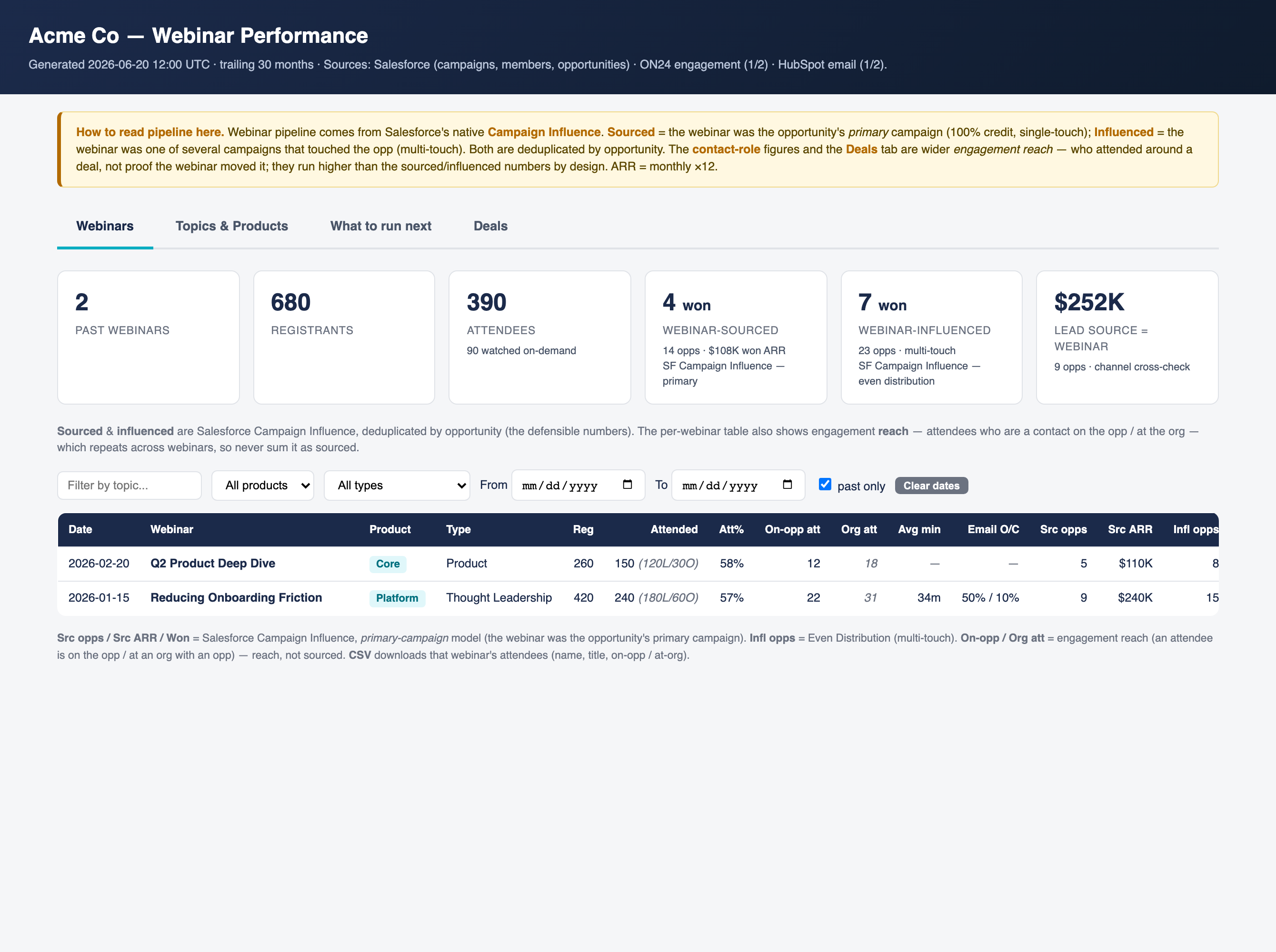
Webinars — every webinar: registrants, who attended live vs. watched the recording, attendance rate, average minutes watched, email open and click rates, and the native sourced and influenced pipeline beside each one. One row per webinar. Click any column to sort.
Topics & products — the same numbers rolled up by product line and by webinar type. This is where "fewer registrants, more conversions" jumps out — the small, sharp webinar that out-earns the big-tent one.
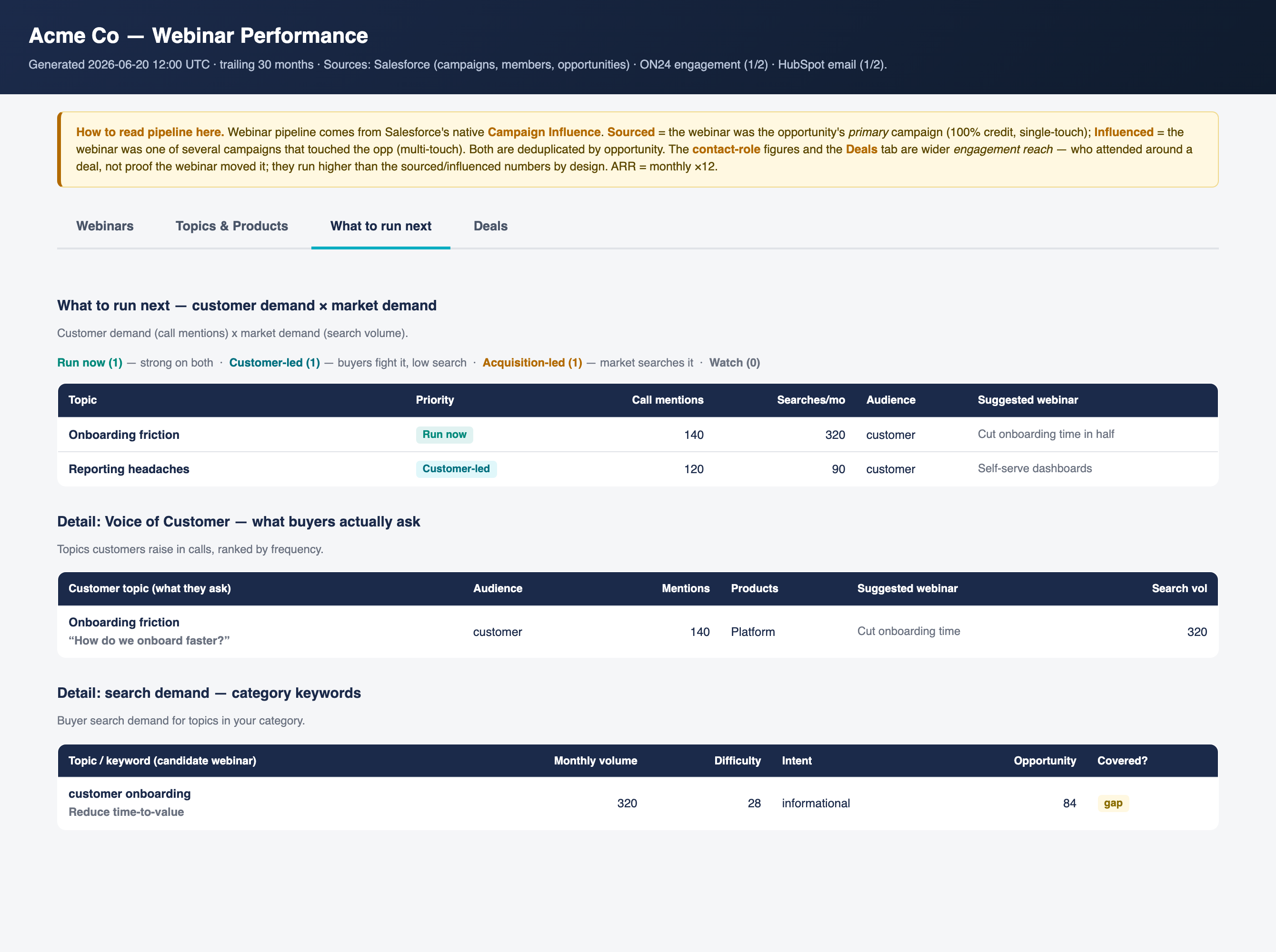
What to run next — the demand engine. Covered below; it's the interesting one.
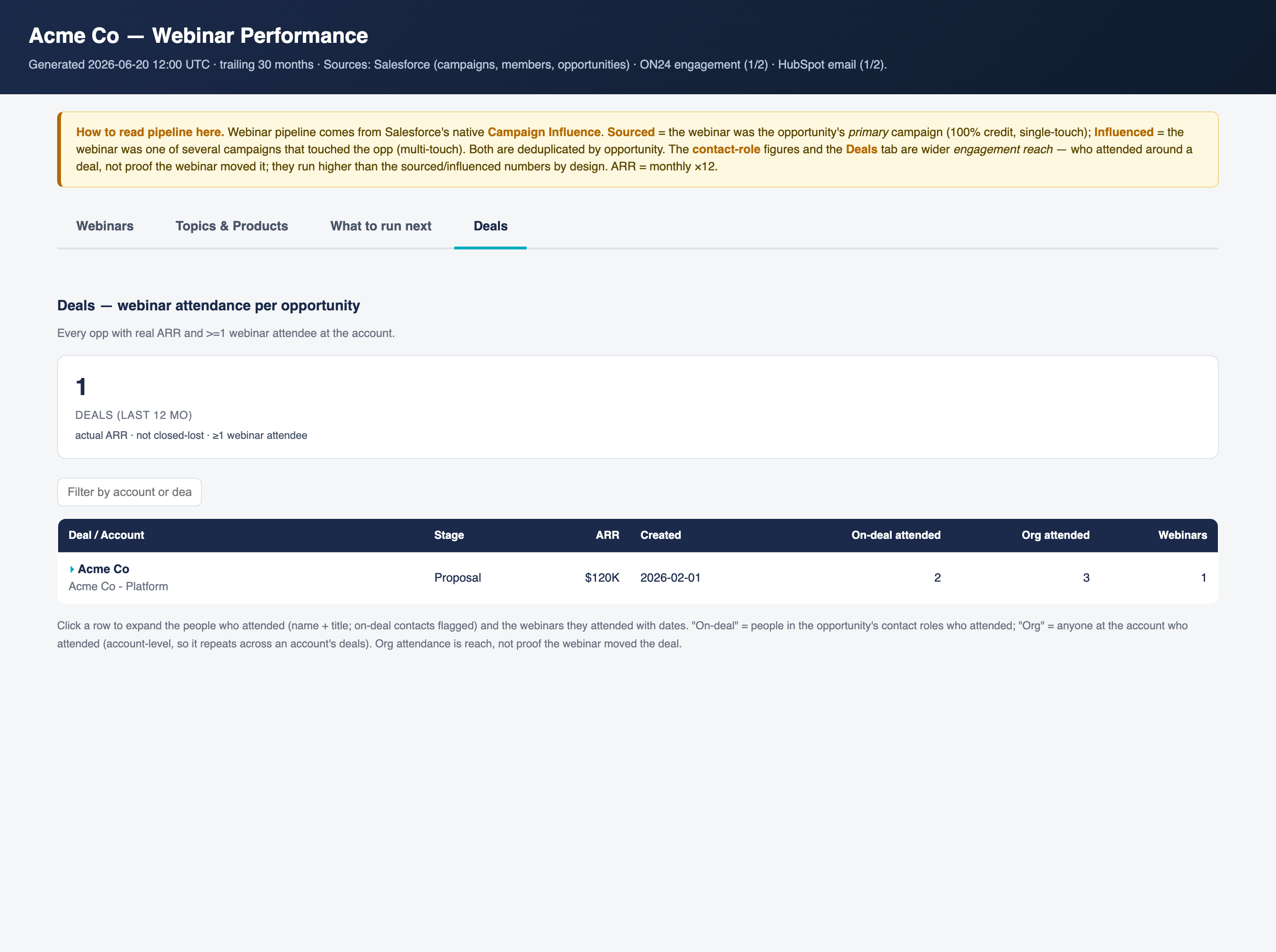
Deals — the opportunity lens. Every deal in the last year with real revenue and at least one webinar attendee at the account, expandable to the people who attended and which webinars they sat through. Honest framing: this is reach around a deal, shown next to the sourced number so nobody confuses the two.
What to run next — and the part that's a little meta
The last tab is the one I care about most. It answers the question the team actually asked — what should we run next.
It works in two passes. First, customer demand: mine real sales and discovery calls for the problems people keep raising, in their own words, and rank topics by how often they come up. Second, market demand: take those topics and check what people actually search for. A topic that's high on both is a layup. A topic that's high in your calls but nobody searches is a different, better kind of opportunity — you can own it, because no one's writing about it.
Now the meta part. To prove the engine works without touching client data, I ran it on my own. Three hundred of my GTM sales calls and podcast episodes. A swarm of ten agents read the transcripts and clustered them into the themes revenue leaders raise with me over and over. Then I checked each theme against live search volume.
The two rankings don't match — and the mismatch is the product:
Reverse-engineer your ICP / go narrow — Calls: ●●●●● · Monthly searches: 1,600 · Verdict: Run now
Outbound messages they'd pay to receive — Calls: ●●●●● · Monthly searches: 1,600 · Verdict: Run now
Build a TAM from public data (when the databases don't have your buyer) — Calls: ●●●● · Monthly searches: 10 · Verdict: Own it
AI agents that research accounts at scale — Calls: ●●●● · Monthly searches: 1,600 · Verdict: Run now
Score & prioritize the TAM (who to call first) — Calls: ●●● · Monthly searches: 210 · Verdict: Own it
Prove outbound worked (attribution to pipeline) — Calls: ●● · Monthly searches: 880 · Verdict: Market-led
AI SDRs — do they actually work — Calls: ●● · Monthly searches: 1,900 · Verdict: Market-led
GTM engineering (without engineers) — Calls: ●● · Monthly searches: 2,400 · Verdict: Market-led
Look at the third row. "How do I build a list of my buyers when ZoomInfo doesn't have them" is the third most common pain in my calls — and almost nobody searches for it. Ten people a month. That's a topic with real demand and no competition — the people who have the pain don't know the words to Google. The thing your customers struggle with most is rarely the thing they search for. Search rewards the topics everyone already writes about. Your calls reward the ones only you can hear.
The engine put "prove outbound worked — attribution to pipeline" on the list too. Which is the build you just read about. So I'm writing it. The tool picked its own topic.
A note on what this wasn't
Running alongside this, separately, was a different job: the same client had pruned their webinar audience too hard, and we ran a recovery to find and re-qualify the right contacts to invite back. That's real work and it fed the same report's audience — but it's a different machine (contact discovery, not attribution), so I'm keeping it out of this story. It deserves its own.
— Written by Claude Opus 4.8, approved by Jordan.
Below is the geeky version. Copy it into Claude Code and rebuild the whole thing yourself — the prompts I actually typed are right here.
Or don't. Annual subscribers install the tool I built with one command — every tool I ship, all 3 courses, weekly office hours.
→ Go annual — $2,499/yr · Start at $50/mo (most readers start here)